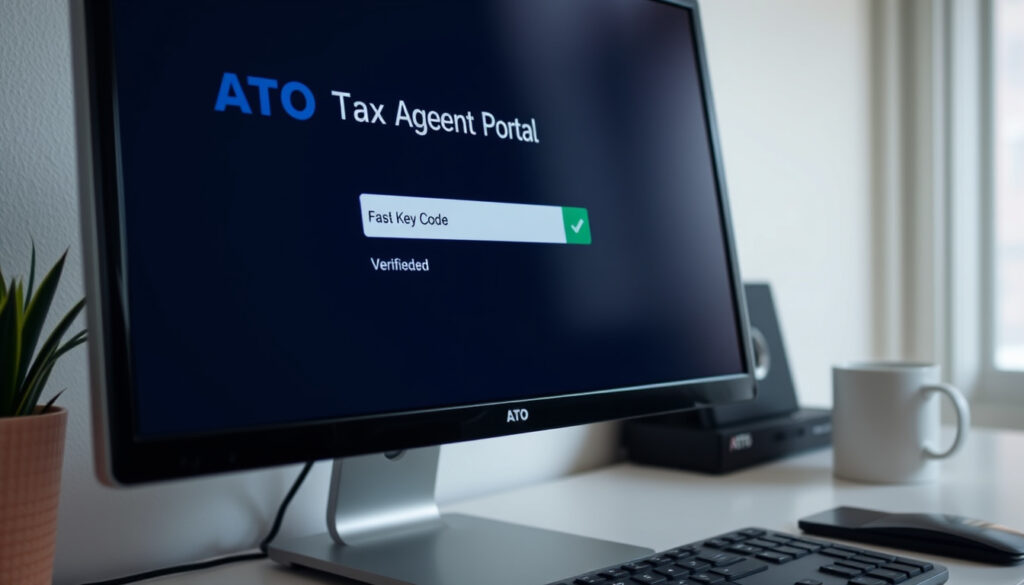
ATO Tax Agent Portal: Login, Fast Key Code & Status
If you’re a tax or BAS agent in Australia, the ATO’s Online services for agents portal is your gateway to managing client lodgments, viewing details, and accessing secure services. But getting in isn’t always straightforward — you’ll need a Digital ID, the right credentials, and a bit of patience when the system goes down. Here’s what you need to know to log in, find your Fast Key Code, and check portal status.
Last updated: 25 February 2025 ·
Official website: onlineservices.ato.gov.au ·
Login method: Digital ID (myGovID) ·
User type: Registered tax and BAS agents
Quick snapshot
- Access requires a Digital ID (myGovID) (ATO Online Services login page)
- Portal URL is onlineservices.ato.gov.au (ATO Online services for agents page)
- Only registered tax and BAS agents can access (ATO)
- Real-time portal status must be checked manually (ATO OSFA Status dashboard)
- Exact downtime frequency is not published (ATO system maintenance page)
- ATO updated online services for agents page on 25 Feb 2025 (ATO)
- System maintenance occurs weekly (ATO system maintenance)
- Check OSFA Status dashboard before logging in (ATO OSFA Status)
- Prepare Digital ID before first login (Practice Protect guide)
Four key facts, one pattern: the ATO portal depends entirely on your Digital ID and a working internet connection — no magic, just authentication.
| Detail | Value |
|---|---|
| Portal Name | Online services for agents |
| Official URL | onlineservices.ato.gov.au |
| Login Method | Digital ID (myGovID) |
| User Eligibility | Registered tax and BAS agents |
Is the ATO tax agent portal down?
The ATO does not publish a single, always-on outage banner. Instead, the OSFA Status dashboard at osfa.status.ato.gov.au (official real-time status monitor) shows whether Online Services for Agents is functioning normally or experiencing issues. This dashboard is specifically scoped to the agent portal, not all ATO services.
How to check ATO portal status
- Visit the OSFA Status dashboard: ATO OSFA Status
- The ATO’s system maintenance page (official schedule) warns that online systems may be impacted in part or in full during scheduled weekly maintenance windows. The agent portal is explicitly listed among affected systems.
- Check ATO social media for unplanned outages — no dedicated status page exists for that purpose.
Common causes of portal downtime
- Scheduled weekly maintenance every weekend (per ATO maintenance schedule)
- IT Solver Support notes that login issues can occur regularly due to system updates (IT Solver Support (managed IT services for accounting practices))
The implication: you cannot rely on a single alert. Check the OSFA dashboard before starting a lodgment session, especially on weekends or early Monday mornings.
Bottom line: Always verify OSFA status before starting a lodgment session.
How do I log in to the ATO tax agent portal?
Logging in requires a Digital ID — the ATO recommends myGovID. The official login page is at onlineservices.ato.gov.au (ATO authentication portal). By logging in you agree to the terms and conditions.
What digital ID options are available?
- myGovID is the primary digital identity for individuals (ATO login page)
- Digital ID is described as “a safe, secure and convenient way to prove and reuse your ID online” (ATO)
- Practice Protect’s guide says the new portal can be accessed through myID on a mobile device (Practice Protect Support (third-party tax agent software provider))
Step-by-step login process
- Install and set up the myGovID application on your mobile device (Practice Protect guide)
- Go to onlineservices.ato.gov.au and select “Online services for agents”
- Enter your myGovID credentials when prompted
- A code may be generated for verification; accept or enter it in the myGovID app (Practice Protect)
- Once authenticated, you can access client records, lodge returns, and manage profiles
Always check the OSFA status dashboard before attempting to log in, especially on weekends.
Troubleshooting login issues
- IT Solver Support recommends using an incognito window as the quickest workaround for some TAP login problems (IT Solver Support)
- If incognito works, clear browser cache and cookies — specific steps are provided for Chrome, Firefox, Edge, and Safari (IT Solver)
- For DNS_PROBE_FINISHED_NXDOMAIN errors, restart browser/computer, try another network, and check antivirus/firewall settings (IT Solver)
Registered tax agents who rely on the portal daily face a real friction point: if you forget your phone or the myGovID app glitches, you’re locked out until you sort it. Plan ahead — keep your myGovID verified and your device charged.
What is the ATO tax agent Fast Key Code?
The Fast Key Code is a unique identifier for tax agents used to link clients to the agent’s portal. It can be found in your ATO profile under Online services for agents.
How to obtain your Fast Key Code
- Log in to Online services for agents
- Navigate to your agent profile section
- The Fast Key Code is displayed there (per ATO documentation)
Using the Fast Key Code for client linking
- Clients can use the Fast Key Code to authorize you as their agent
- The code is entered in the Relationship Authorisation Manager (ATO nomination video (official ATO channel))
- An email code is sent to the address used for the myGovID app for verification (YouTube – ATO)
The catch: the Fast Key Code is sometimes confused with a one-time verification code sent during login. They’re different — the Fast Key Code is a static identifier, while the login code is session-based.
Where do I find my ATO tax agent number?
Your tax agent number is required for registration and appears in your online services profile. It’s used in all communications with the ATO.
What is the tax agent number used for?
- Required when registering as a tax agent with the ATO (ATO Online services for agents)
- Referenced in lodgments, correspondence, and client linking
How to retrieve it from the portal
- Log in to Online services for agents
- Click on your profile or account settings
- Your tax agent number will be listed under “Agent details”
What this means: if you can’t find your number, check your original registration confirmation from the Tax Practitioners Board (TPB).
How do I access the ASIC tax agent portal?
The ASIC portal is a separate system for registered tax agents to manage client details with the Australian Securities and Investments Commission. It requires its own login credentials.
Difference between ATO and ASIC portals
- ATO portal: lodgment, client management, tax returns
- ASIC portal: company searches, annual statements, agent details (ASIC Online Services (regulatory body))
Login requirements for ASIC portal
- Separate registration with ASIC is required
- Access via asic.gov.au/online-services (ASIC Online Services)
- ASIC uses its own identity verification (not myGovID directly)
The pattern: two portals, two logins, two purposes — don’t mix them up when you need to update company details versus lodge a tax return.
Step-by-step login process for ATO tax agent portal
Follow these steps to access the portal successfully. (Steps already detailed under the login H2 above; this section consolidates them with clear numbering.)
- Install myGovID app and complete identity verification (Practice Protect guide)
- Open a supported browser (Chrome, Firefox, Edge, Safari) and go to onlineservices.ato.gov.au
- Click “Online services for agents” and enter your myGovID credentials
- If prompted, approve the verification code on your mobile device
- Once logged in, use the dashboard to lodge, view client details, and manage profile
Why this matters: skipping the mobile verification step is the most common reason agents get stuck. Have your phone ready before you start.
Timeline of ATO portal updates
- – ATO updated the Online services for agents page (ATO)
- – ATO updated tax agents page
- – Third-party guide published by Nanak Accountants
The pattern: ATO updates are infrequent but the system maintenance happens weekly. Bookmark the OSFA Status dashboard for real-time signals.
What’s clear and what’s not
Confirmed facts
- Access requires a Digital ID (ATO login page)
- Portal URL is onlineservices.ato.gov.au
- Only registered agents can log in
What’s unclear
- Current real-time portal status (must be checked manually on OSFA Status)
- Exact downtime frequency – no official incident history published
- Whether the Fast Key Code can be shared across multiple client authorizations is not explicitly stated
The catch: without a public incident log, agents can’t predict reliability. The OSFA dashboard is the only trusted source for up-to-the-minute status.
What the ATO says about its portal
“Online services for agents is a secure system for registered tax and BAS agents.”
— Australian Taxation Office – Online services for agents (ATO official page)
“The new portal can be accessed through myID on a mobile device.”
— Practice Protect Support (guide)
The pattern: official statements emphasize security but users need to take proactive steps.
Final takeaway
The ATO tax agent portal is a secure, essential tool, but it demands preparedness: a verified Digital ID, a charged mobile device, and a habit of checking the OSFA Status dashboard before each session. For registered tax agents in Australia, the implication is clear: integrate portal status checks into your daily workflow, or risk being locked out during peak lodgment periods.
Frequently Asked Questions
What should I do if I can’t log in to the ATO tax agent portal?
First, check the OSFA Status dashboard for outages. If the system is up, try an incognito window, clear browser cache, or restart your device. If problems persist, contact ATO technical support.
Can I use the ATO tax agent portal on my smartphone?
Yes, the portal is accessible via mobile browser, but you still need the myGovID app on the same device for authentication. Practice Protect recommends installing myGovID on your phone first.
How do I reset my Digital ID for portal access?
You can update your myGovID details through the myGovID app. If you lose access, you may need to re-verify your identity with the ATO via the myGovID recovery process.
Is the ATO tax agent portal the same as the ATO BAS portal?
Yes, the Online services for agents portal covers both tax and BAS lodgments. BAS agents use the same login and dashboard.
How long does it take to receive a Fast Key Code?
The Fast Key Code is available immediately in your agent profile once you log in. It does not require a separate application.
More related posts
 Lake Mountain Alpine Resort – Essential 2025 Visitor Guide
 Your Life Choices – Making Decisions That Define Your Path
 Queen Mother: Biography, Family, and Relationships
 Genesis Rodriguez: Age, Ethnicity, Partner, Movies & TV Shows
 ATO Business Login – Step-by-Step Access Guide
 Sydney Flower Markets – Location Hours and Visiting Tips
 1 AUD to INR: ₹67.34 Rate, Forecast & Converter
 Apple Cider Vinegar: What Science Says About Its Health Claims
